
Uncategorized files
Showing below up to 29 results in range #1 to #29.
-
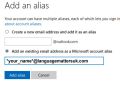 Account alases.jpg 600 × 431; 35 KB
-
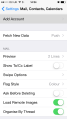 Add account last step iPhone.png 640 × 1,136; 86 KB
-
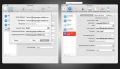 Apple email setup.jpg 999 × 571; 67 KB
-
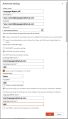 Fill out the form.jpg 600 × 1,053; 76 KB
-
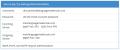 For those technically minded.png 706 × 296; 22 KB
-
 Gmail0.jpg 600 × 171; 16 KB
-
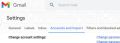 Gmail Accounts and Import.jpg 599 × 213; 19 KB
-
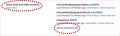 Gmail Add an email account.jpg 1,199 × 355; 49 KB
-
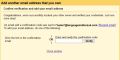 Gmail Check your Gmail .jpg 600 × 299; 28 KB
-
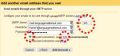 Gmail Click Add Account.jpg 600 × 281; 31 KB
-
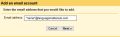 Gmail Enter your email address.jpg 599 × 184; 15 KB
-
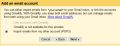 Gmail Gmailify.jpg 600 × 230; 26 KB
-
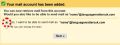 Gmail Next.jpg 600 × 227; 23 KB
-
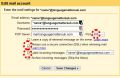 Gmail Save Changes.jpg 600 × 388; 45 KB
-
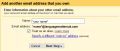 Gmail Treat as an alias.jpg 600 × 253; 25 KB
-
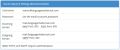 Gmail technical details.jpg 1,200 × 500; 56 KB
-
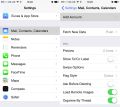 IPhone1.jpg 901 × 800; 73 KB
-
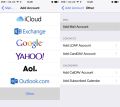 IPhone2.jpg 901 × 800; 62 KB
-
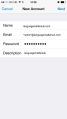 IPhone - Fill in the details.jpg 640 × 1,136; 43 KB
-
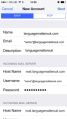 IPhone - IMAP new account.jpg 300 × 532; 27 KB
-
 Manage or choose a primary alias.png 324 × 75; 2 KB
-
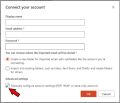 Manually configure account settings.jpg 600 × 513; 35 KB
-
 Other email accounts.png 234 × 124; 4 KB
-
 Outlook View all Outlook settings.png 262 × 76; 2 KB
-
 Outlook settings wheel-cog.png 336 × 58; 13 KB
-
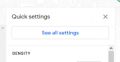 See all settings.jpg 600 × 311; 13 KB
-
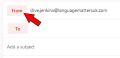 Select it in the From box.jpg 600 × 292; 12 KB
-
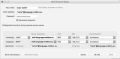 Thinderbird image 1.jpg 787 × 386; 36 KB
-
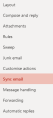 View all Outlook settings.png 179 × 400; 5 KB


